Access Chat Platform
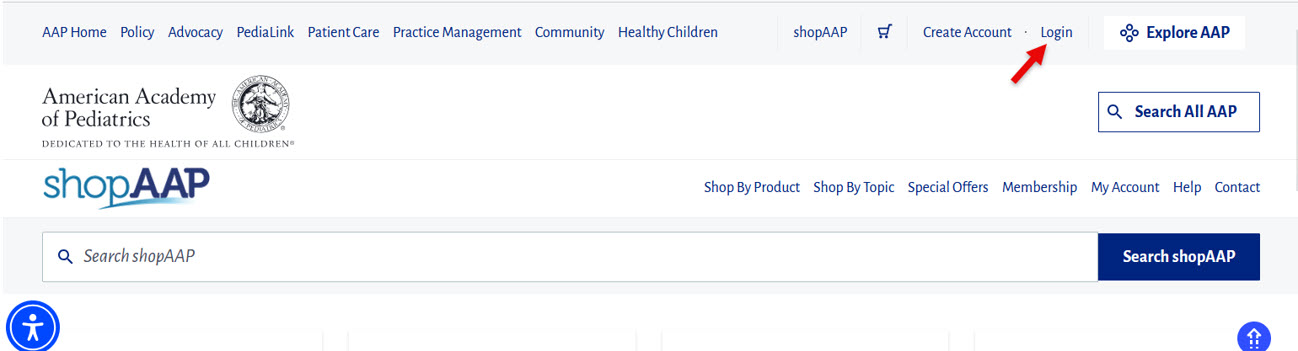
1. From the AAP.org website, select the login option on the top right corner.
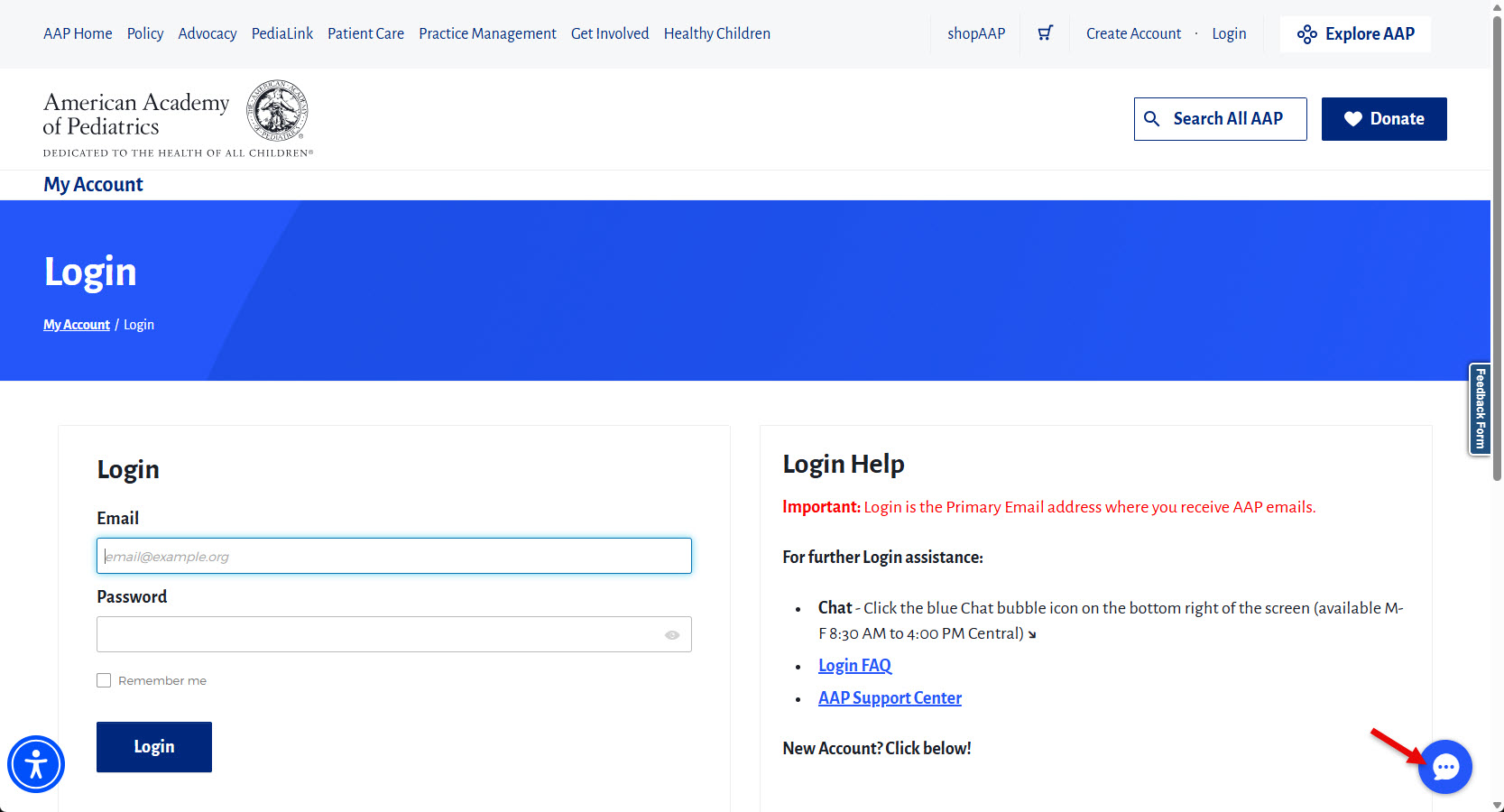
2. From the login page, you will see a chat icon on the bottom right corner. Click on the chat icon to expand the chat window.
Navigate Chat Interaction
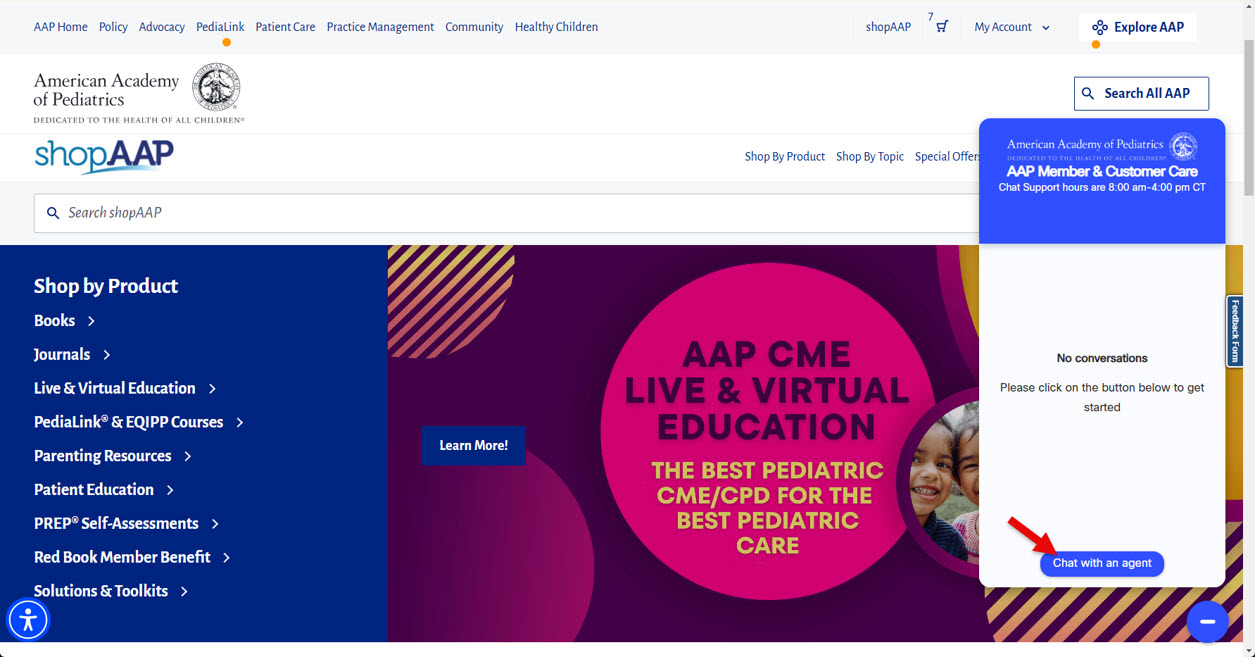
1. From the chat window, click on the button that says “Chat with an agent” to initiate a chat.
2. Enter the requested information when prompted. Please note that AAP ID and Issue are optional fields.
3. Once the identifier information is submitted, you will be added to the chat queue.
4. Once the chat is connected, you will see the name of the support agent appearing on the top of the chat window. You may enter a message using the text entry field at the bottom of the chat window. Click the Send arrow button to send your message.
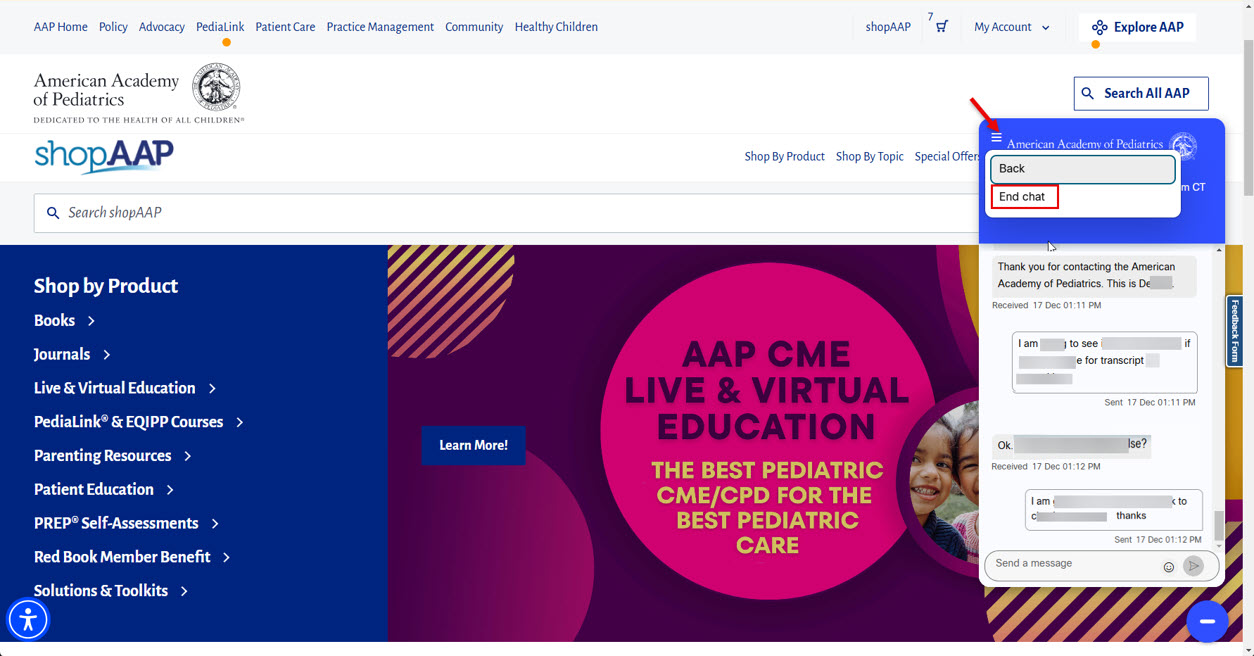
5. To end the chat, click on the 3 lines on the top left corner of chat window, and select the option for End chat.
Last Updated
07/02/2026
Source
American Academy of Pediatrics